The eight-point security checklist
Ordered by benefit relative to effort. None of the eight requires buying anything, which is worth saying on a page that also carries advertising.
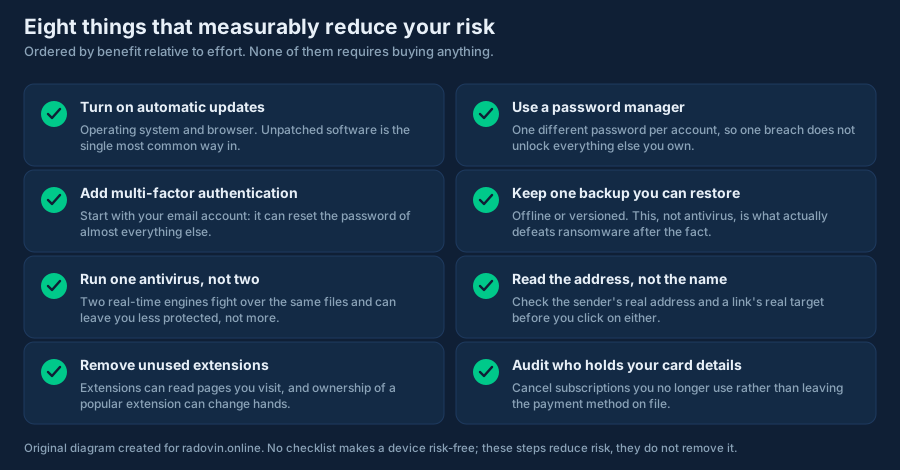
1. Turn on automatic updates
Operating system, browser, and the handful of applications you use daily. Unpatched software is consistently among the most common ways in, and the fix is free and already built into your device. Restart when asked; an update that has been downloaded but not applied is not protecting you.
2. Use a password manager
The point is not strength, it is uniqueness. A strong password reused across ten sites fails completely the first time any one of those ten is breached. A manager makes one different password per account practical. Browser-built-in managers are a real improvement over reuse; dedicated ones do more.
3. Add multi-factor authentication, starting with e-mail
Do e-mail first, because an e-mail account can reset the password of nearly everything else you own. An authenticator app or a hardware key resists phishing better than SMS codes, but SMS is still far better than nothing. Save the recovery codes somewhere you can actually reach.
4. Keep one backup you have actually restored from
Offline, or versioned so that a file encrypted today can be rolled back to yesterday. This, not antivirus, is what defeats ransomware after the fact. A backup you have never tested is a hypothesis; restore one file occasionally and turn it into a fact.
5. Run one antivirus, not two
Two real-time engines fight over the same files and can leave you slower and less protected. On Windows, Microsoft Defender is a genuine antivirus and steps aside automatically if you install another. Choose one and let it work.
6. Read the address, not the name
Sender addresses and link destinations, before you click. This single habit defeats most phishing. Our phishing guide covers the five checks in detail.
7. Remove browser extensions you no longer use
An extension can typically read and change the pages you visit. Ownership of a popular extension can change hands, and permissions granted long ago persist. Audit the list occasionally and remove anything you would not install today.
8. Audit who holds your card details
Every dormant subscription is an account that can be breached and a card number stored somewhere you have forgotten. Cancel what you do not use rather than leaving a payment method on file, and check your statement for charges you cannot place.
Where paid software fits
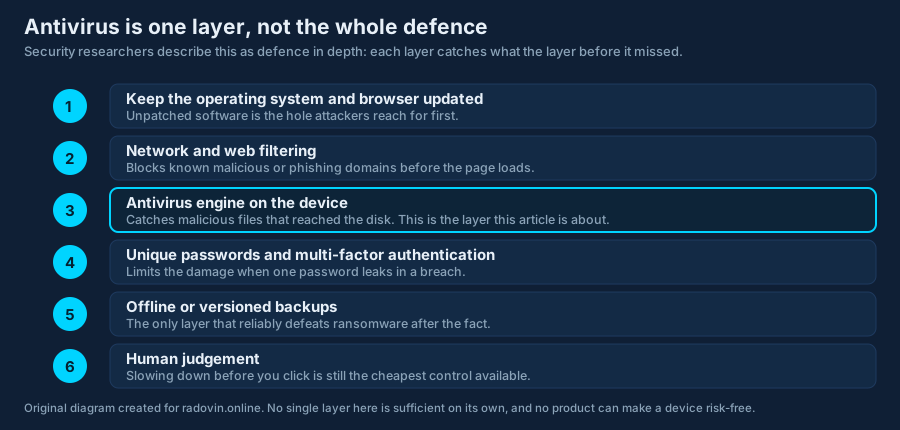
If, having done the eight, you want an additional detection layer or cross-platform coverage from one subscription, that is a reasonable thing to buy — and our review of Surfshark Antivirus explains what one such product does and does not include. Do it in that order, though. Buying software while reusing one password across every account is solving the smaller problem.
Further reading
- CISA — Secure Our World, plain-language guidance for households.
- ENISA, the EU agency for cybersecurity.
- NUKIB, the Czech national cyber security authority.